Draft. The app isn't out yet, and no surgeon has reviewed the packs shown here.

Pocket Plastics Support

Surgery, step by step.

Pick a procedure, download it, and read it before the case: what to know first, each step in order, and a picture, a clip and the instruments at that moment.

Coming to the App Store for iPhone and iPad.

On the shelf so far

Each cover is redrawn from a surgical photo in an open-access paper, or drawn here, and credited below it.
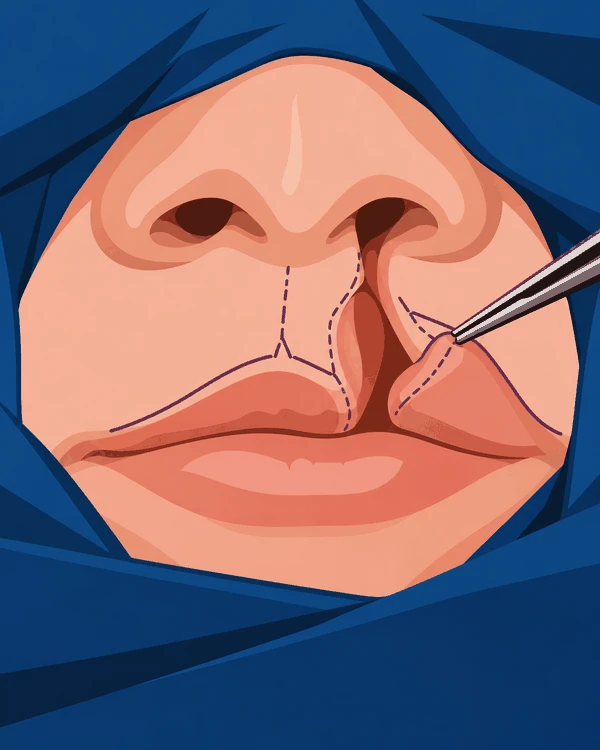
Drawing of a nose and upper lip framed by blue drapes, with a cleft on one side, dashed marking lines along both edges and forceps lifting the lateral lip.
Cleft lip repairThe markings on both sides of the cleft.Drawn for Pocket Plastics.
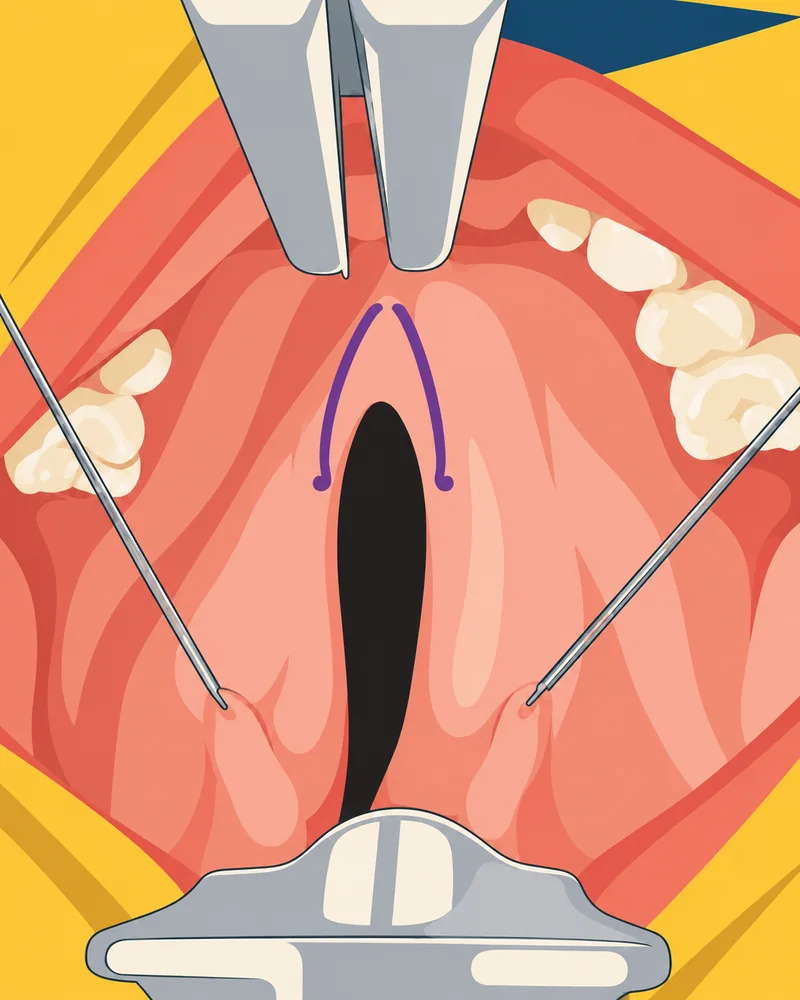
Drawing of an open mouth held by a gag, with a cleft in the soft palate and purple flap markings beside it.
Cleft palate repairA triangular flap marked on the palate.Redrawn with AI from Calderón Crespo et al., Cureus 2026, Fig. 2. CC BY 4.0.
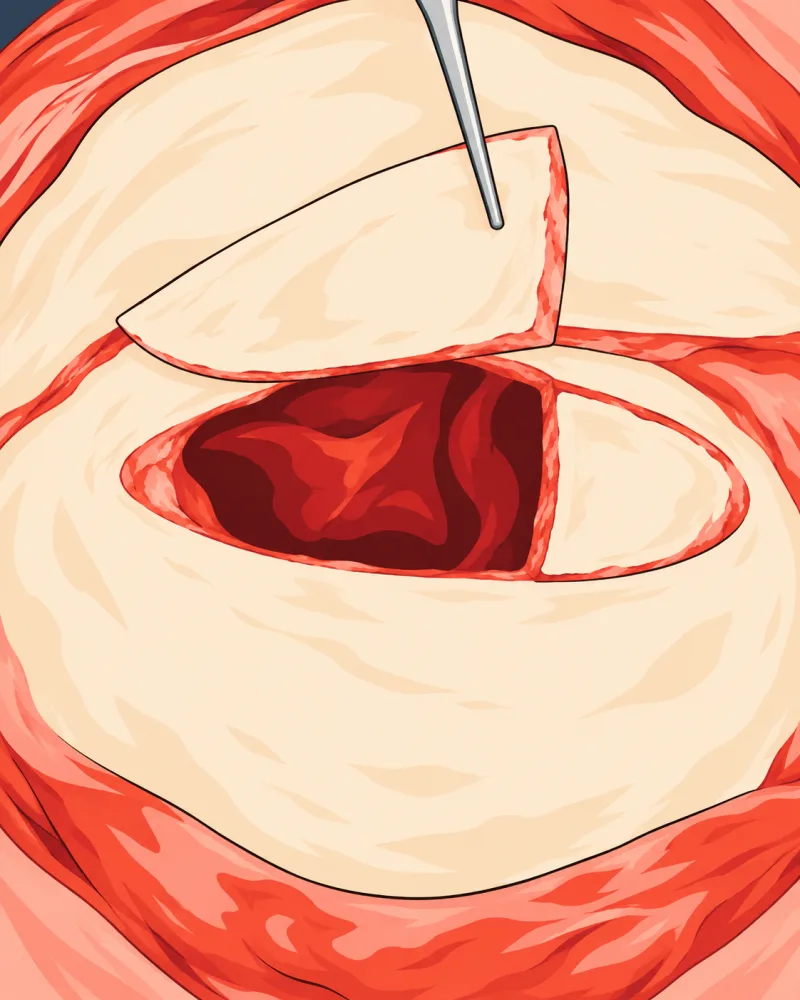
Drawing of bone exposed through a surgical opening, with forceps lifting one piece of the frontal sinus wall to show the cavity behind it.
Facial feminization surgeryOne piece of the sinus wall lifted out.Redrawn with AI from Pokrowiecki et al., Medicina 2024, Fig. 3d. CC BY 4.0.

How it works

  1. 1. Pick a procedure

    Every procedure is a book on your shelf. Take only the ones you need.

    The Procedures shelf in the app: paperback covers in two columns, each with its name, steps and size, above tabs for Procedures, Instruments and PDFs.
  2. 2. Download the pack

    Each pack names the surgeon who reviewed it. Once it's on your device, it reads offline.

    The Furlow palatoplasty pack in the app, marked Not reviewed because it's a draft, with a Download button above its list of steps.
  3. 3. Read it before the case

    One step at a time, in plain words, with the picture right above them.

    Step 9 of 21 in the app, Left oral flap, with muscle: a color drawing of the palate with one flap folded back, its credit, and the start of the text.

One palate, start to finish

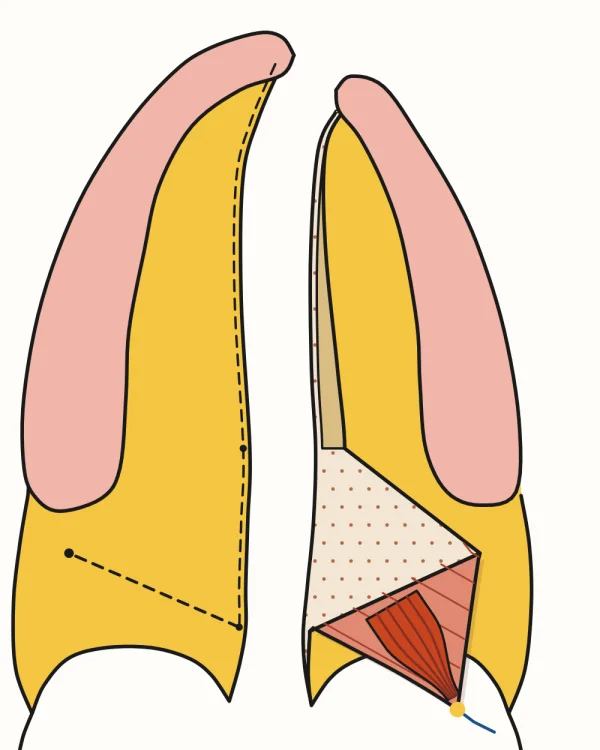
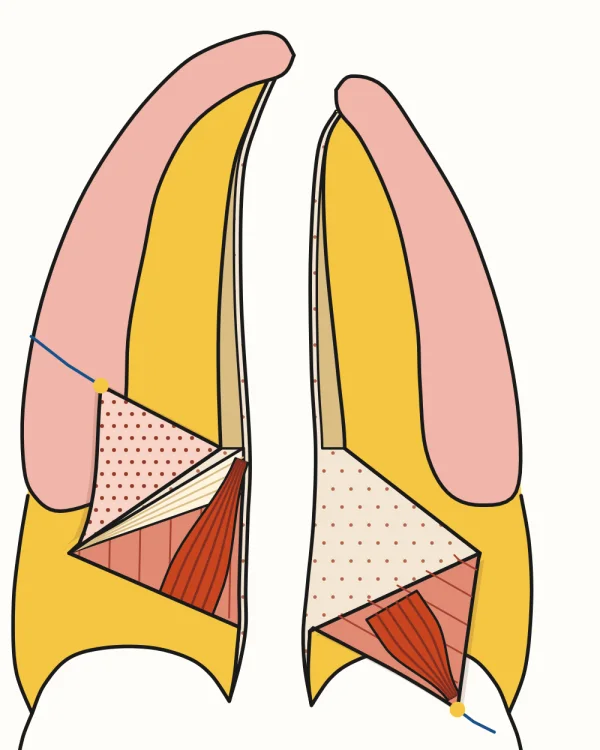
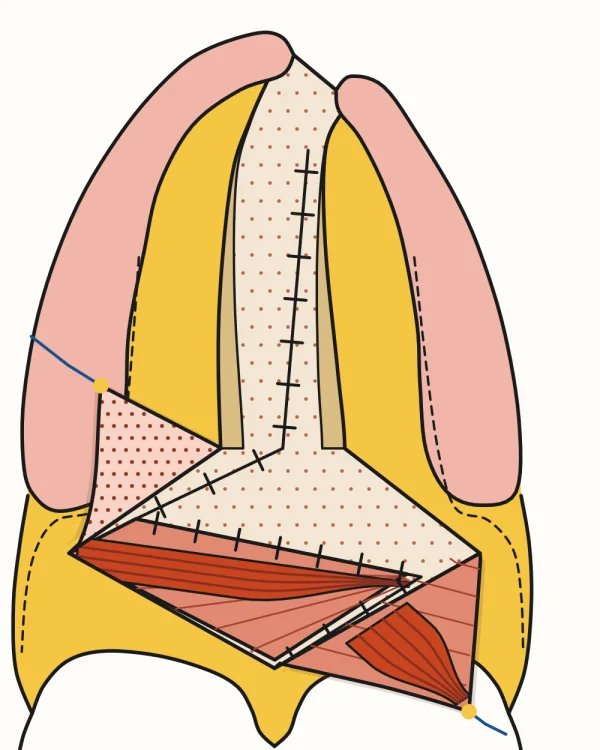
The Furlow pack's drawings come from one model of the anatomy. The same palate runs through the whole operation, and only what moves in the case moves.
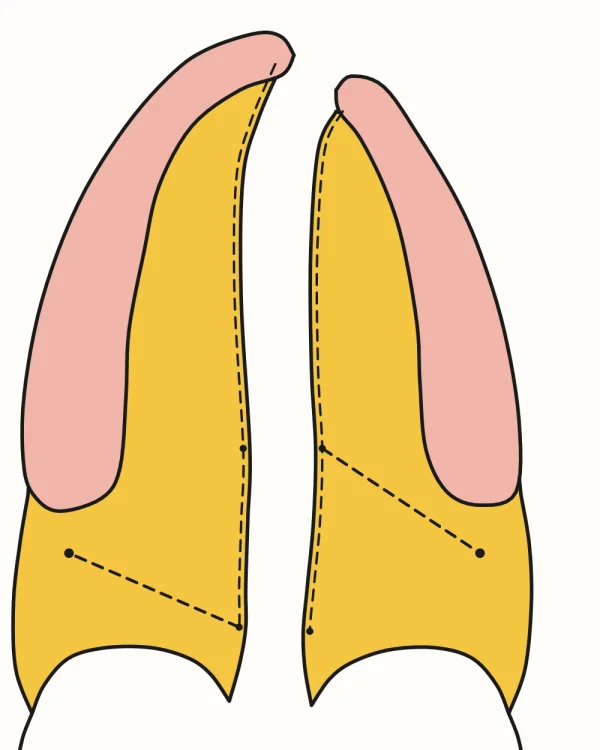
  1. Cleft palate with the gum ridge at the top and dashed lines along the cleft edges and the oral limbs of the Z.Mark the two Zs
  2. The same palate with the left oral flap folded back on a stitch, showing the levator as a dark band.Left oral flap
  3. The same palate with both oral flaps raised.Right oral flap
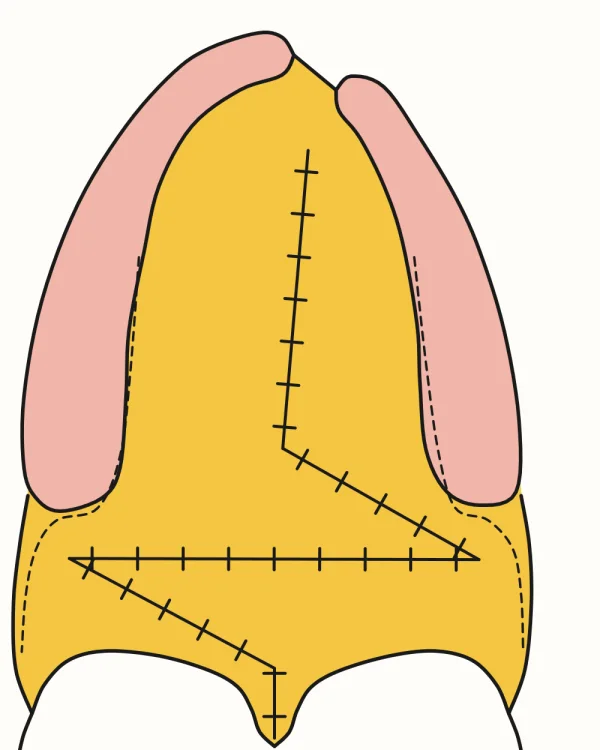
  4. The nasal Z sewn beneath both raised oral flaps, with the right levator lying across the midline.Nasal Z
  5. The oral Z sewn in the midline, with a dashed relaxing incision on each side.Oral Z
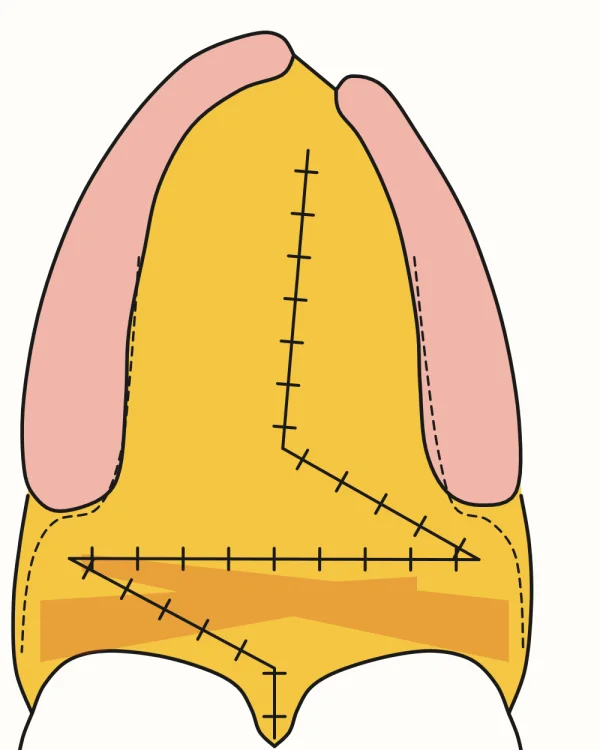
  6. The same drawing with the two levators shown faintly beneath the mucosa, each crossing the midline and overlapping the other.The levators beneath
Drawn here from a model of the palate, keeping the gum ridges of Agrawal, Indian J Plast Surg 2009, Fig. 4. CC BY.

Inside a step

  • The clip, at that moment

    The frame shows a picture from the clip. Tap it and it plays right there on the step, then go full screen for a closer look.

    A step in the app: a clip frame showing a picture from the video with a play mark, then its title and credit, then short points with instrument names as pills in the text. Pill drawings are redrawn with AI: no. 15 blade from JiramJarid (CC BY-SA 3.0), tenotomy scissors from Ian Furst (CC BY-SA 4.0).
  • Instruments in the sentence

    An instrument's name is a pill in the text. Tap it to see what it does and how to spot it, then carry on reading. The Instruments tab has them all, by kind, and each one links back to the procedures that use it.

    The Instruments tab in the app: a search bar, then instruments grouped by kind, each with a small drawing and its name. Some drawings are redrawn with AI: nasal speculum from SnowBink (CC0), periosteal elevator from Gertident and skin hook from Sarindam7 (CC BY-SA 4.0), nasotracheal tube from Kim et al., Int J Environ Res Public Health 2023, Fig. 1 (CC BY 4.0).
  • Your textbook, at the right page

    Add your own PDF of a book and each reference opens at the cited page. The PDFs tab shows every book the packs cite and which ones you've added. Your PDFs stay on your device.

    The PDFs tab in the app: a list of textbooks, each saying which packs cite it and offering Add PDF.

What's in every pack

A surgeon's name
Nothing is published until a surgeon has reviewed it. Each pack shows who did and when.
Every step, in order
What to know before the case, then each step as it happens.
Credits you can check
Every picture and clip says where it came from and under what licence, and each pack ends with its sources.
Updates that find you
When a pack changes, your copy updates itself while the app is open. There's no app update to install.

Free for PSSN members.

We don't run ads. Downloaded packs read offline. Clips that stream or come from YouTube need a connection, and YouTube may show ads of its own.